Gates & exposure
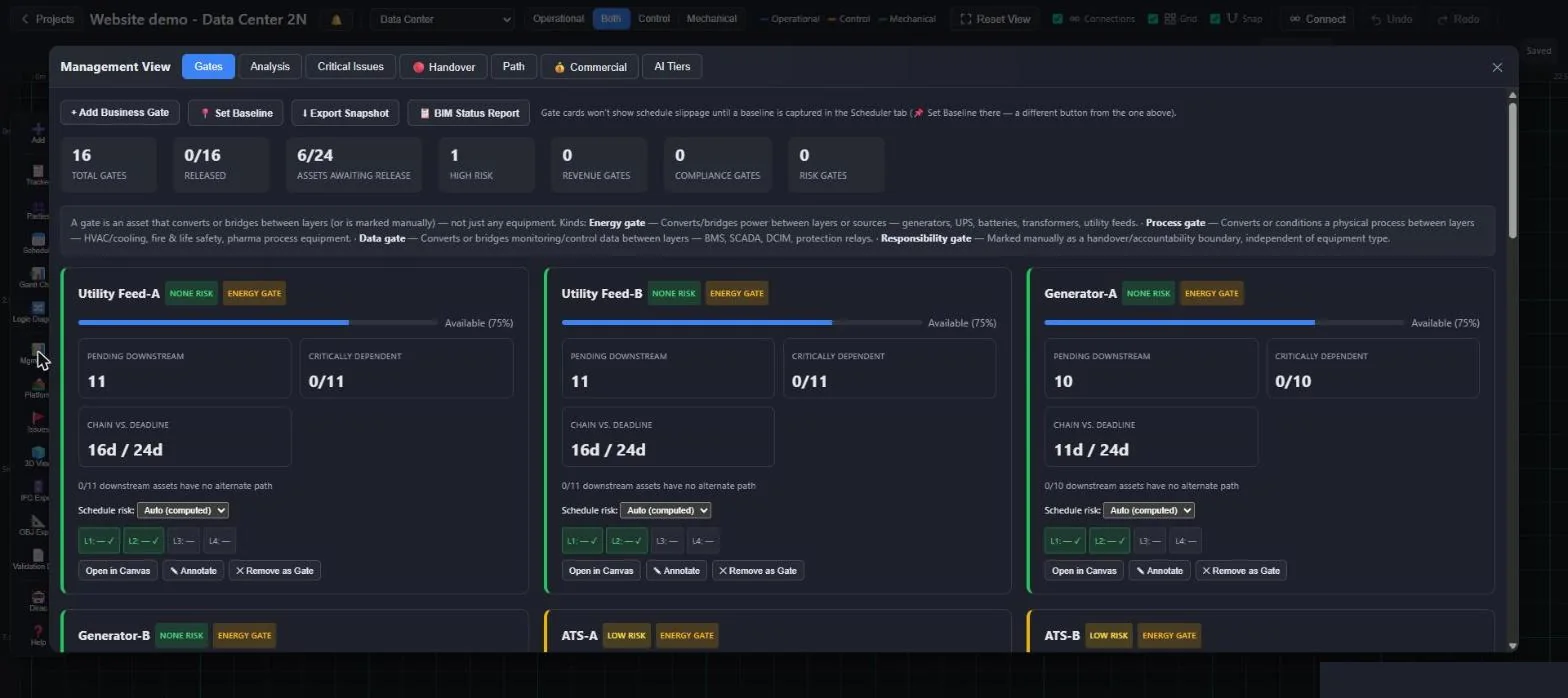
Business-critical gates with downstream exposure. Severity escalates to critical automatically when a gate is the only power path for what sits behind it.
Massive Dynamic · Project management
Massive Dynamic runs field commissioning, and everything the field records feeds a management layer: gates, exposure, critical path, commercial milestones and handover readiness, always current.
Management view
Business-critical gates with downstream exposure. Severity escalates to critical automatically when a gate is the only power path for what sits behind it.
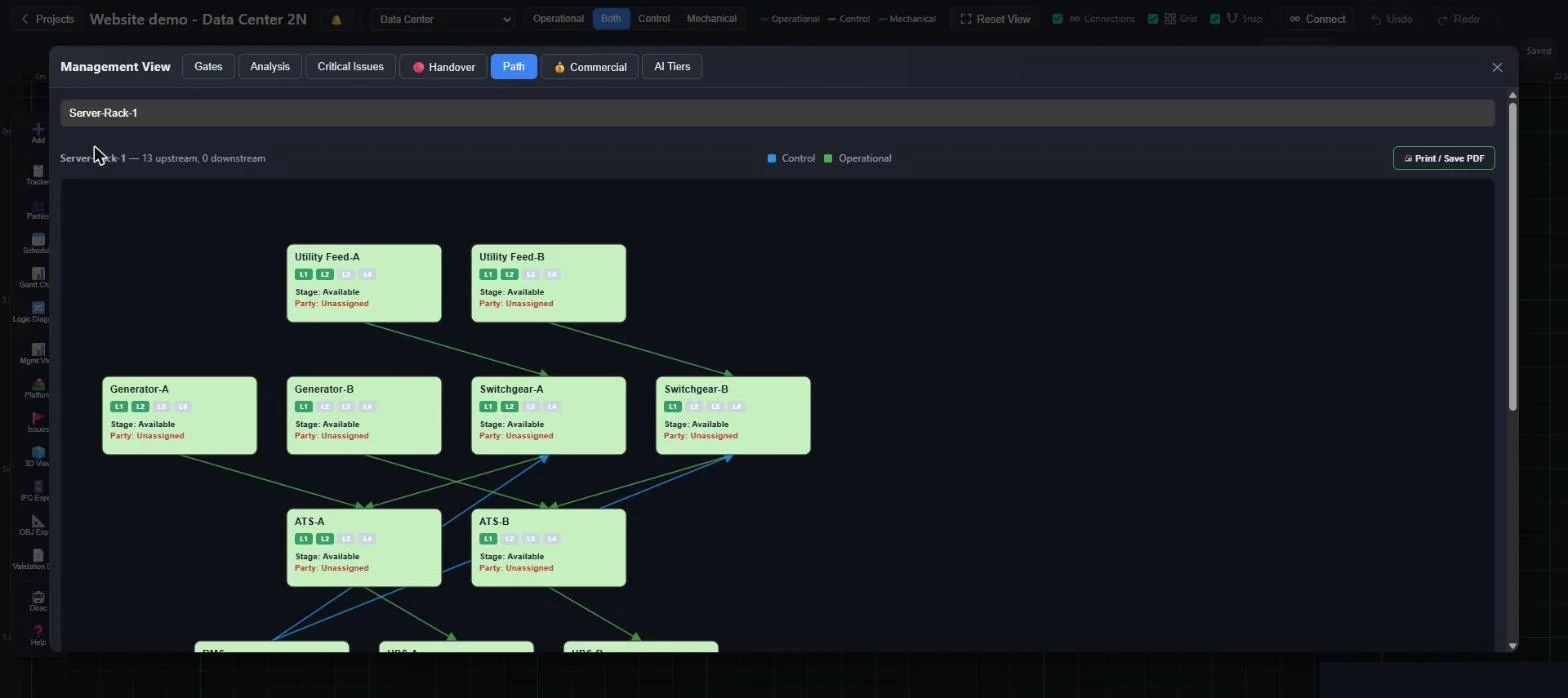
The real predecessor graph gives the critical path. Target dates per asset are checked for achievability, so slip is visible early.
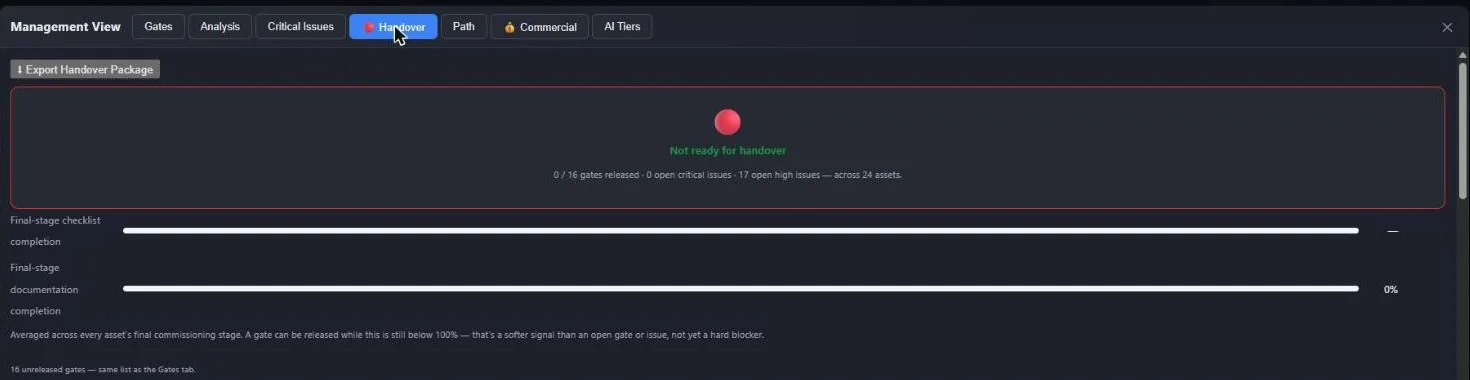
A red, amber and green board computed from gates, issues, NCRs, checklists and documents, with a one-click handover package.
Contractual milestones defined against the model, each with live requirement progress and blockers, placed on the computed schedule; Dirac proposes milestones from the plan.
Commercial summary and commercial milestones with status, target date and days remaining, tracked against the same progress the field records.
Set a baseline, annotate or override gates, and export an XLSX snapshot for the monthly client review.
Issues with photos, activity feed, @mentions and e-mail notifications. NCRs raised in one click with protection against duplicates. BCF import and export for issues from BIM tools.
On screen
Portfolio
A campus or a phased facility runs as a project group: each building, room or system keeps its own schedule, access and qualification record, and the group's combined view shows health, open gates, critical issues and workload by party in one screen.
Boundary connections between projects make cross-project questions real: what happens in the cleanroom project if the steam generator in the utilities project goes down is answered by following the actual connections.
Independent systems are shown side by side, not averaged into one number.
Contractors see their project; managers see the group.
A new building or suite is added to the group as a new project.
A click away
Are we ready to hand over?A verdict with the blockers behind it.
What is blocking L3 on this switchgear?The upstream items and open checks, by party.
Which gates are critical right now?Computed from the power topology, not a status field.
Can we still make the target date?Checked against the real sequence and durations.
What happens elsewhere if this fails?Cascade simulated across every project in the group.
Who is carrying the workload?Open work by responsible party, across the portfolio.
Share
The commissioning sequence exports as one self-contained HTML file. It opens in any browser without a login or a licence, and plays the project day by day as assets change colour through their stages.
It is an easy way to show a client the energisation sequence before it is committed, and it also exports to XLSX, CSV and SVG.
“Plan this with me” runs a guided interview: list the work, what must finish first and which gates apply, and Dirac draws the plan.
One click in Dirac builds the PEP organisation chart: owner, PMC, package managers, field and Cx engineers, vendors and crews.
Split for independence. Group for visibility.
Each room or system runs as its own project, with its own access, schedule and qualification record, the way facilities are actually built and inspected. A project group shows them side by side for management, without blending independent systems into one misleading number.
Tell us about your project. A pilot on one system lets you judge Massive Dynamic on your own site.