Signature-gated sign-off
Password, a valid training certificate and membership of the responsible party. A role checkbox is not enough.
Massive Dynamic · Immutable record
Commissioning evidence is only worth something if nobody can quietly change it later. Massive Dynamic keeps every sign-off, checklist line, comment and bypass in a record that cannot be edited or deleted.
Audit trail
The audit trail is insert-only. There is no path to update or delete an entry, not in the app and not in the database behind it. It is immutable by omission: the operation simply does not exist.
That matches the audit-trail expectations of 21 CFR Part 11 (§11.10(e)), and it is the same record a client, an auditor or an inspector can read.
With the signer's password, training certificate and party membership checked, and the e-signature recorded.
Who ticked what, and when, down to the individual line.
Once posted, never edited or removed.
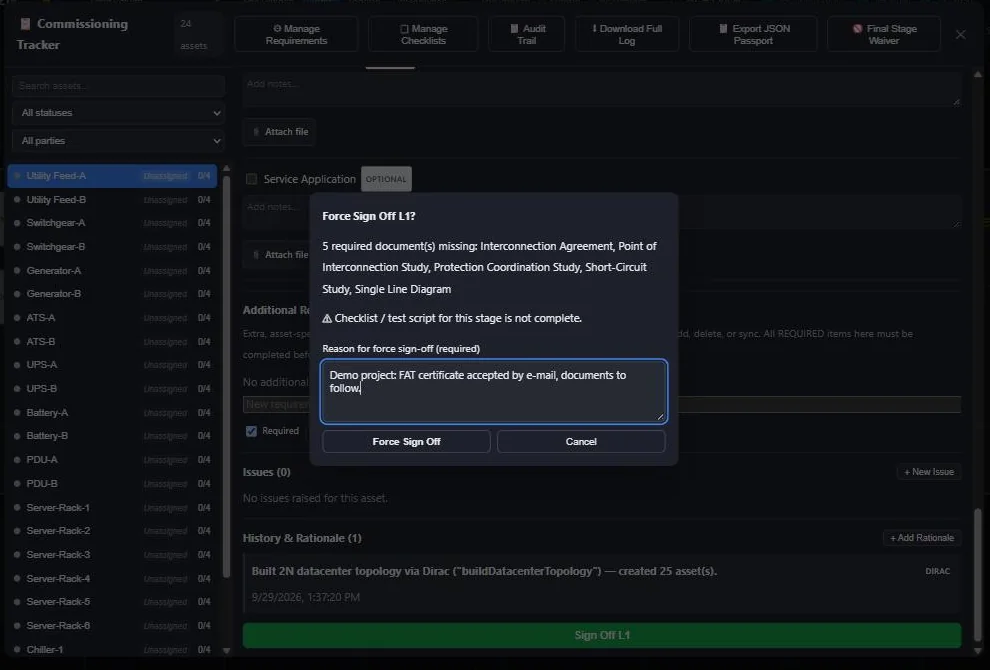
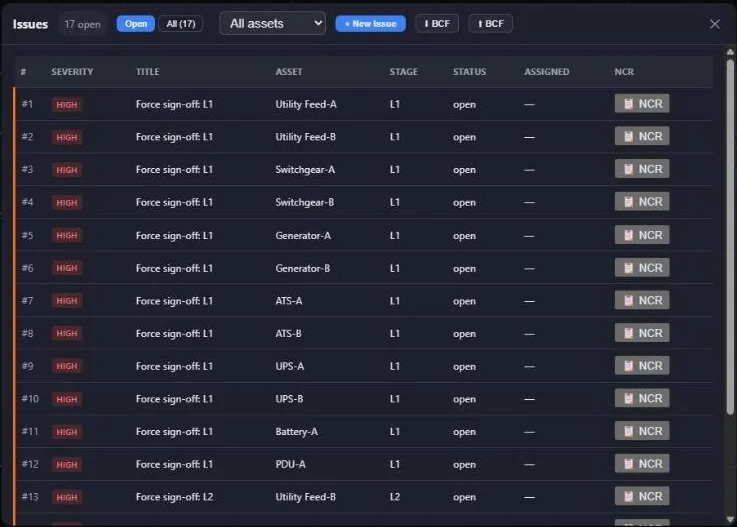
A forced sign-off automatically raises an issue, so the exception stays visible until it is closed.
Bypass
Real sites sometimes need a stage signed off before every document has arrived. Massive Dynamic allows it, but only openly: the dialog lists exactly what is missing, a reason is required, the signer’s password is asked again, and the bypass is raised as an issue automatically.
The exception stays in the audit trail for good, and on the issue list until someone closes it.
On the record
Shared checklists
On a real project, one test often covers many assets: a bay-level function test, a busbar walkdown, a group of AHUs. Copying that checklist onto every asset creates copies that drift apart the moment someone updates one of them.
In Massive Dynamic a shared checklist is one record. Results, notes and completion are shared across every asset it covers. Nothing is copied, so nothing can disagree.
Each party signs its own part of the same shared record.
The field app works on the shared record, not a local copy.
Dirac selects every asset on the same checklist as a given asset.
A shared test can be one joint task in the Gantt, completing when every member signs off.
One shared checklist per stage can carry the sign-off for the whole group: fewer signatures, the same per-asset record and the same gate — a missing item is excused only by a raised issue.
Safeguards
Password, a valid training certificate and membership of the responsible party. A role checkbox is not enough.
Sign-off needs a live credential check that a weak site connection cannot guarantee.
DQ, IQ, OQ and PQ documents are generated from the record and e-signed, never retyped.
Autosave with saved versions you can return to, and protection against two tabs overwriting each other.
Permissions are enforced in the application and again in the database, per project and per role.
Dirac shows every change first and runs it only after you confirm. Sign-off rules stay in code.
In the app
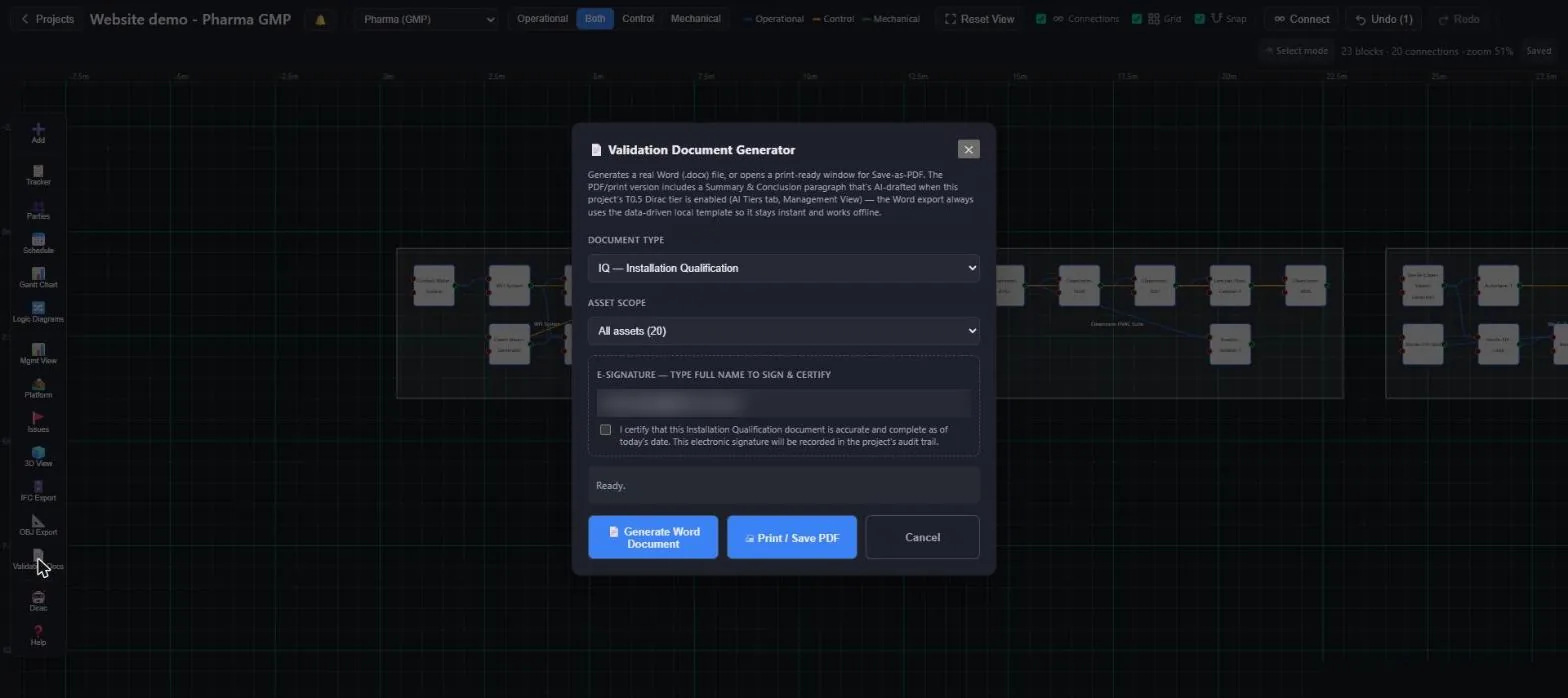
We will walk your quality team through the audit trail, shared checklists and document generation on a demo project.